Adding Conversation Memory
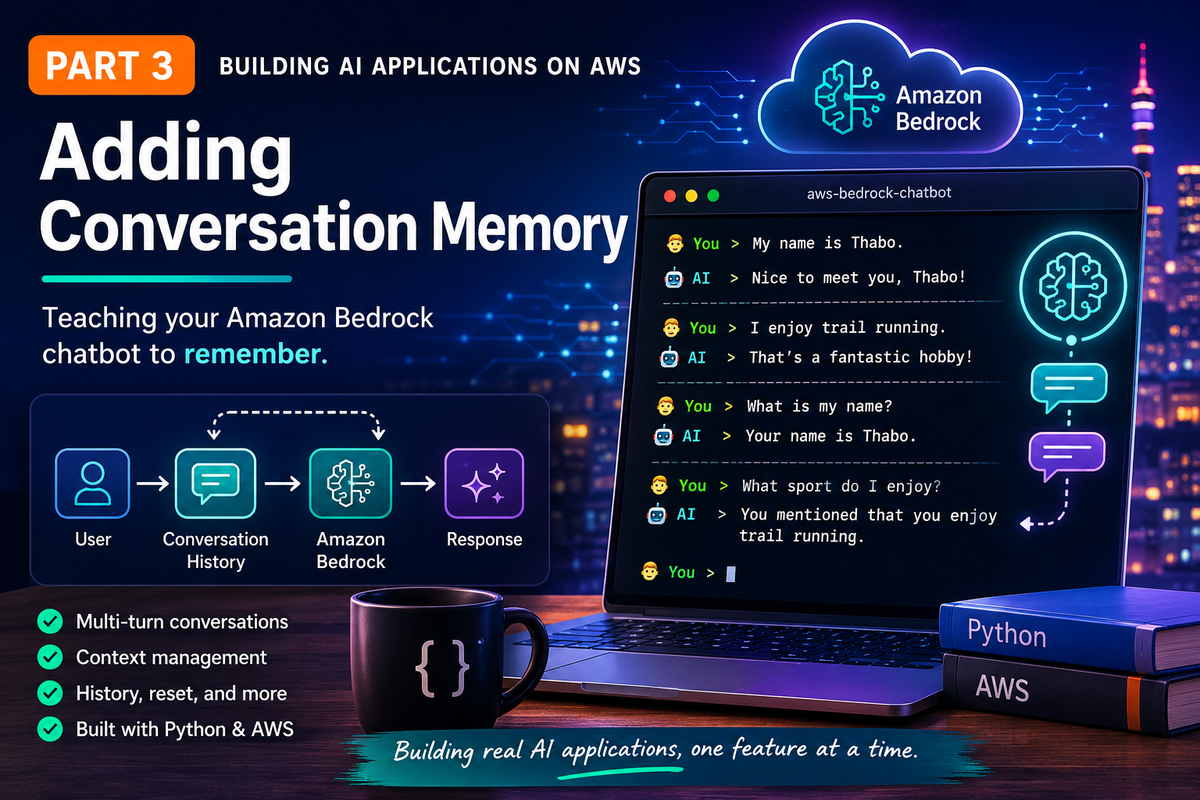
Without conversation memory, every prompt is treated as the first interaction and that's not how users expect chatbots to behave. This is an excellent opportunity to showcase why Large Language Models are stateless and how developers are responsible for maintaining conversation history.
📘 Series: Building AI Applications on AWS
Most people assume AI models remember conversations but they actually don't, that is the applications responsibility. Up until now we have built a solid foundation for our application:
- ✅ Part 1 — Connected to Amazon Bedrock
- ✅ Part 2 — Built a professional interactive CLI application
Without conversation memory, every prompt is treated as if it's the first interaction. That's not how users expect chatbots to behave so we will demystify one of the most important concepts in Generative AI: conversation context.
Part 3 is where this project graduates from just "calling an AI model" to "building an AI application". By the end of this article, our chatbot will remember everything we have said to it.
Stateless vs Stateful Applications
AI models don't remember previous conversations and this is probably the most important concept in this entire series. Amazon Bedrock doesn't remember anything (neither does Claude, Nova, nor Llama) but the application remembers.
Every time you call Amazon Bedrock, your application is responsible for sending the conversation history back to the model. What feels like "memory" is really context that your application manages.
Every request simply sends the entire conversation back to the model and understanding this distinction is one of the biggest mindset shifts when building Generative AI applications.
We will transform our application from being stateful (every request sent is independent) to stateful (every new request includes the conversation history).
Why Refactor?
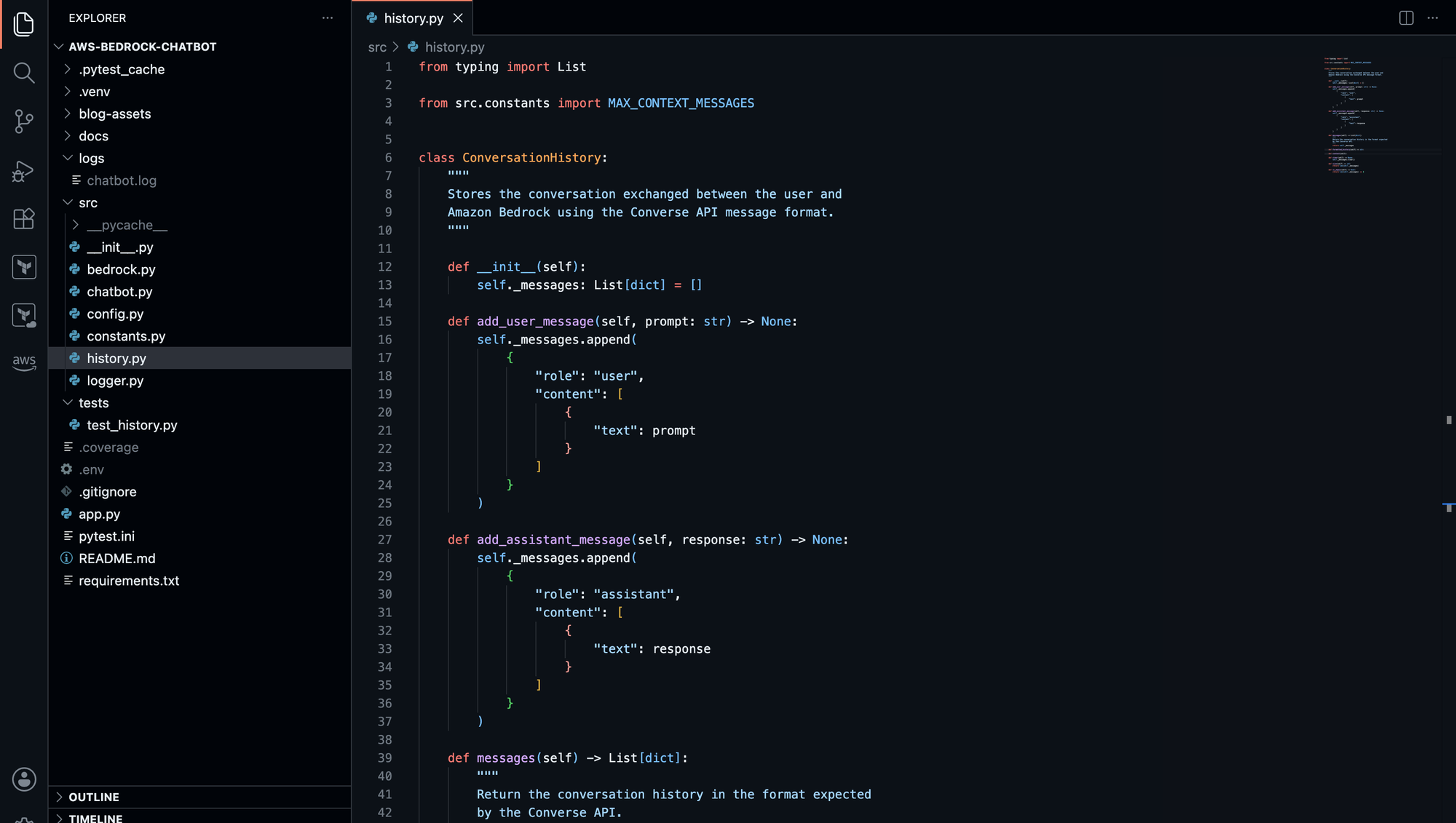
We need to introduce a ConversationHistory class that stores the conversation exchanged between the user and Amazon Bedrock. Instead of converting data before every request, we will store messages in the format expected by the converse API. This class will be responsible for storing prompts from the user as well as responses from the AI model:
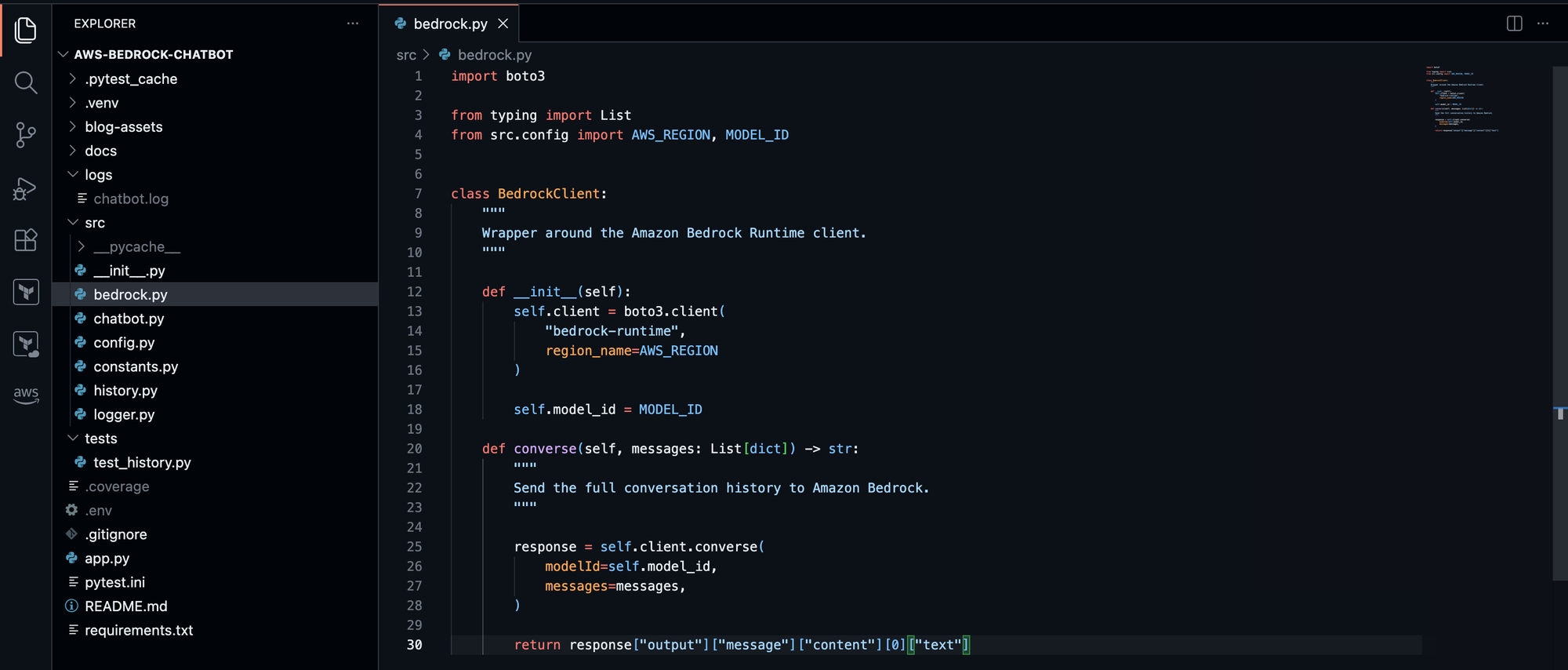
Therefore, the BedrockClient no longer knows anything about prompts as it simply receives a conversation, notice how we're now sending the entire conversation and not just the latest prompt:
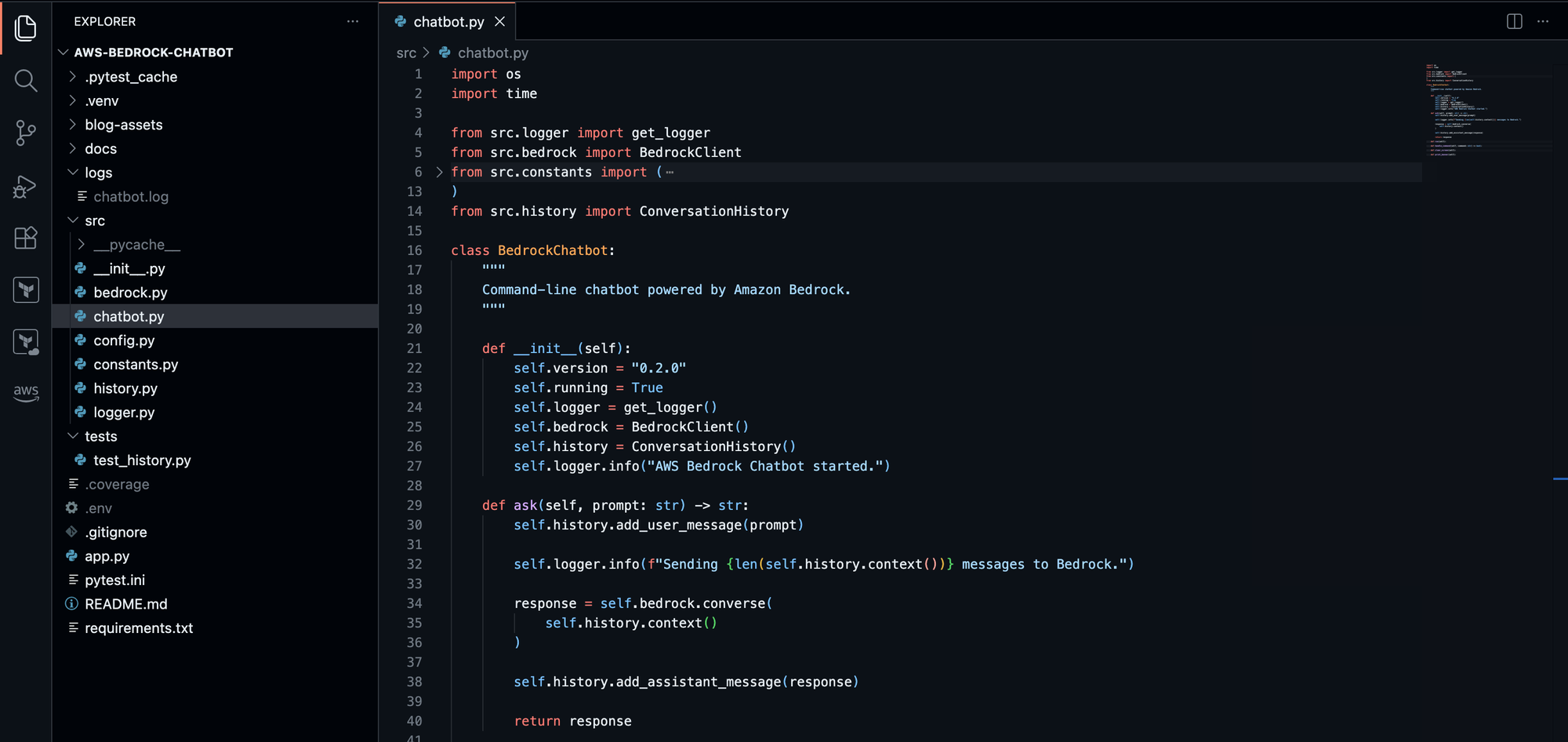
The Chatbot can now replay the messages between the user and the AI model, which as a result showcases memory capabilities of the application:
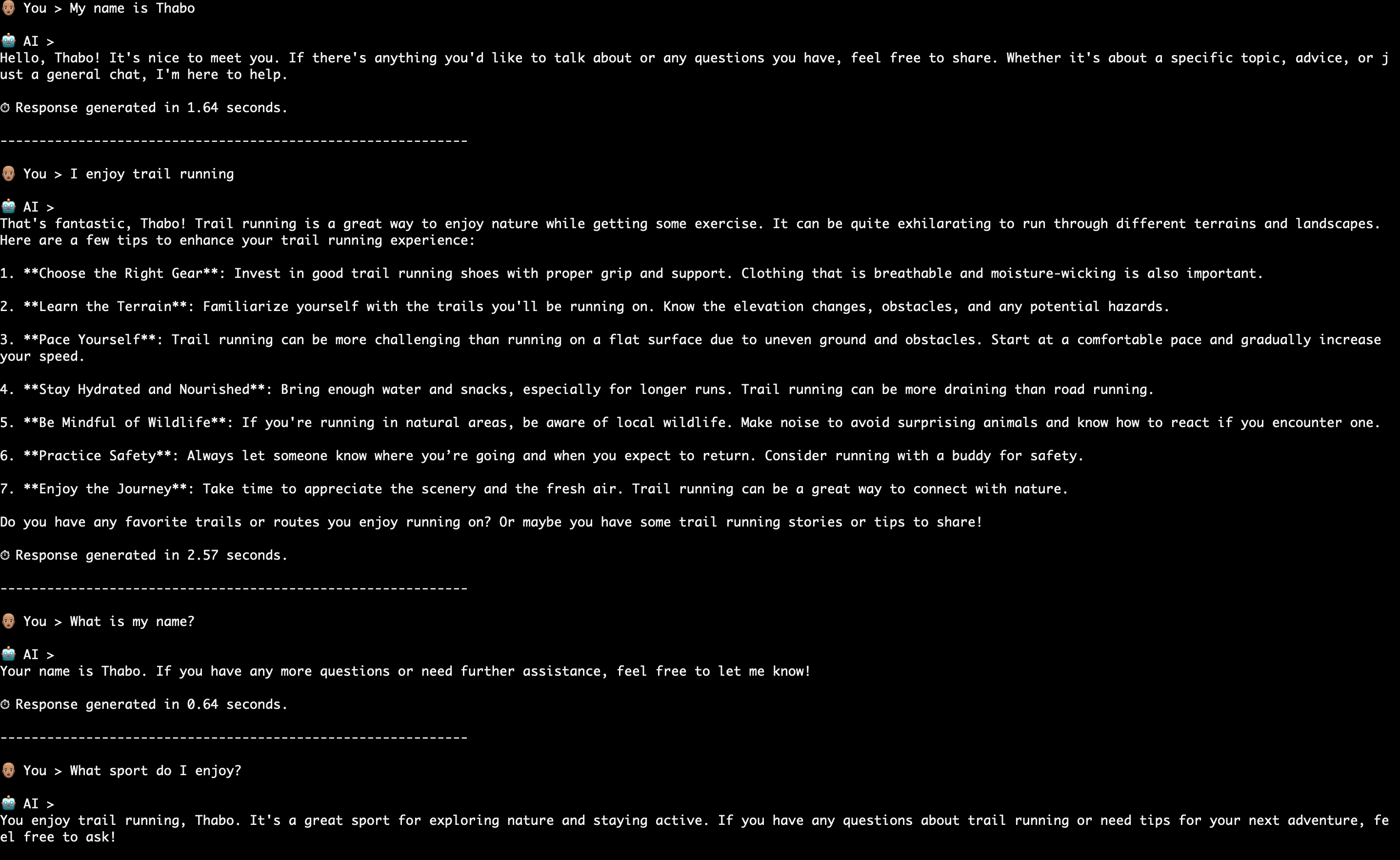
Memory in Action
Foundation models don't remember previous conversations unless the application sends that history back with every request. We can now see how adding memory enables the model to remember previous information we shared with it:
Testing the Feature
Introducing unit testing into a project is important when building production-quality applications. It helps mitigate defects that might might be introduced by newly added features to currently working features. We will now test the ConversationHistory feature using pytest -v
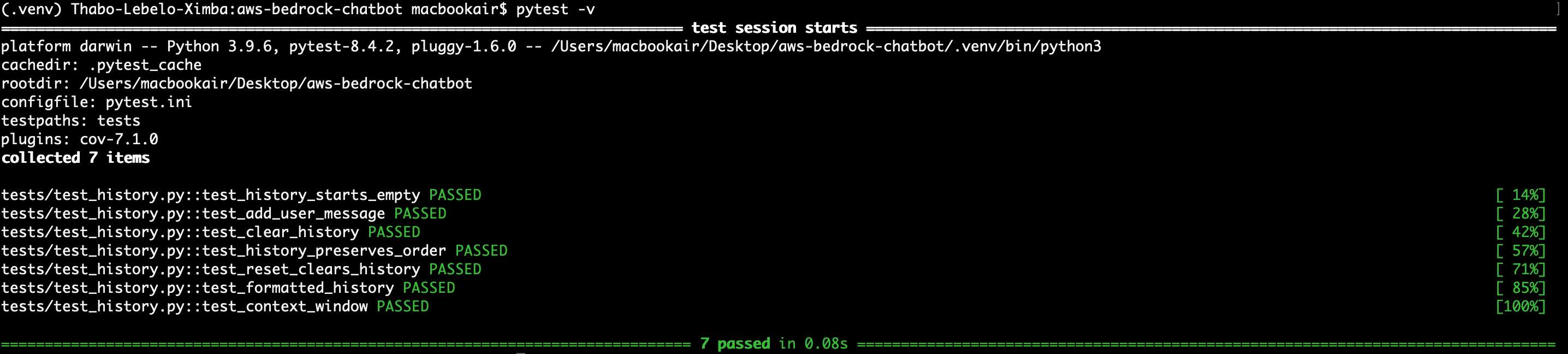
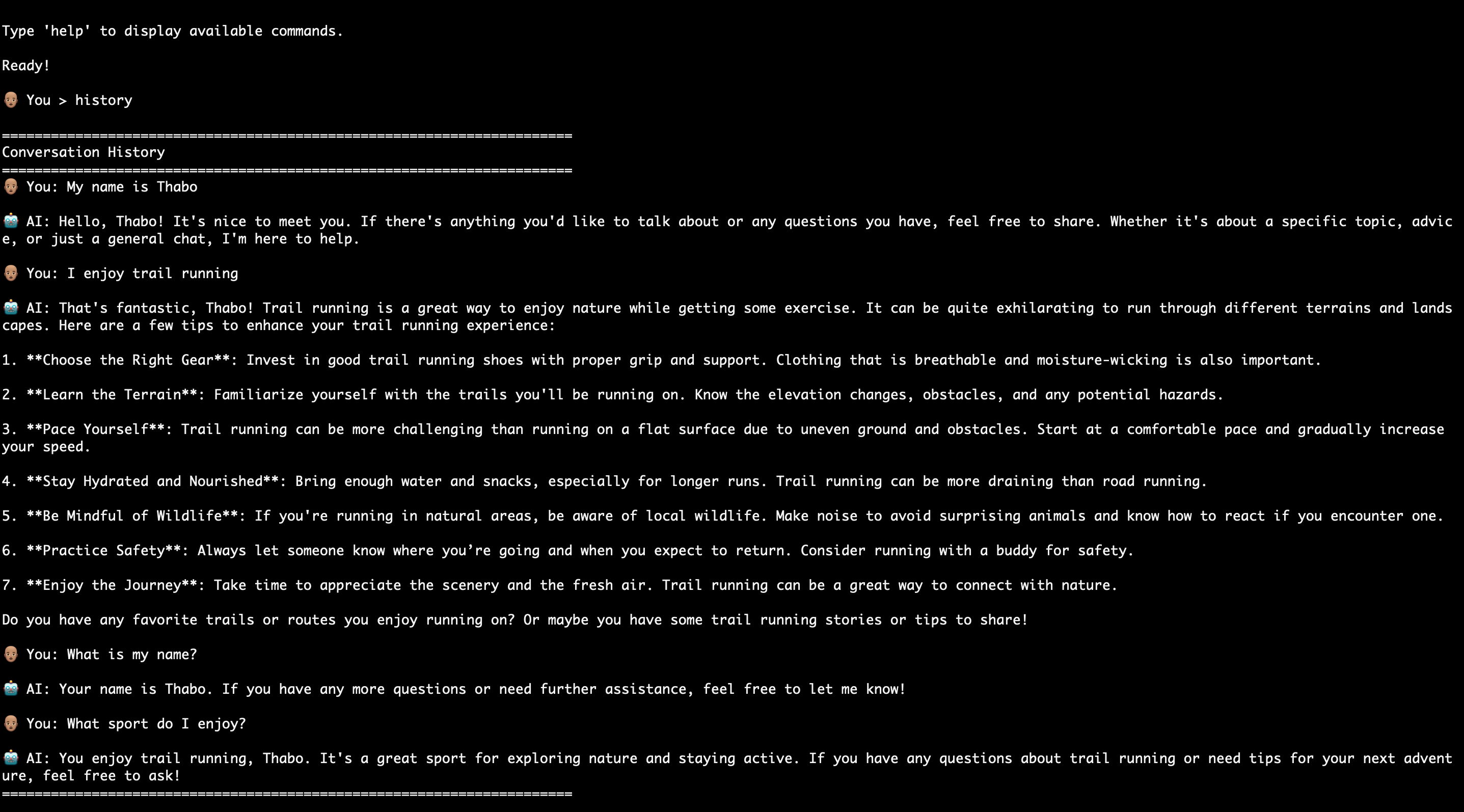
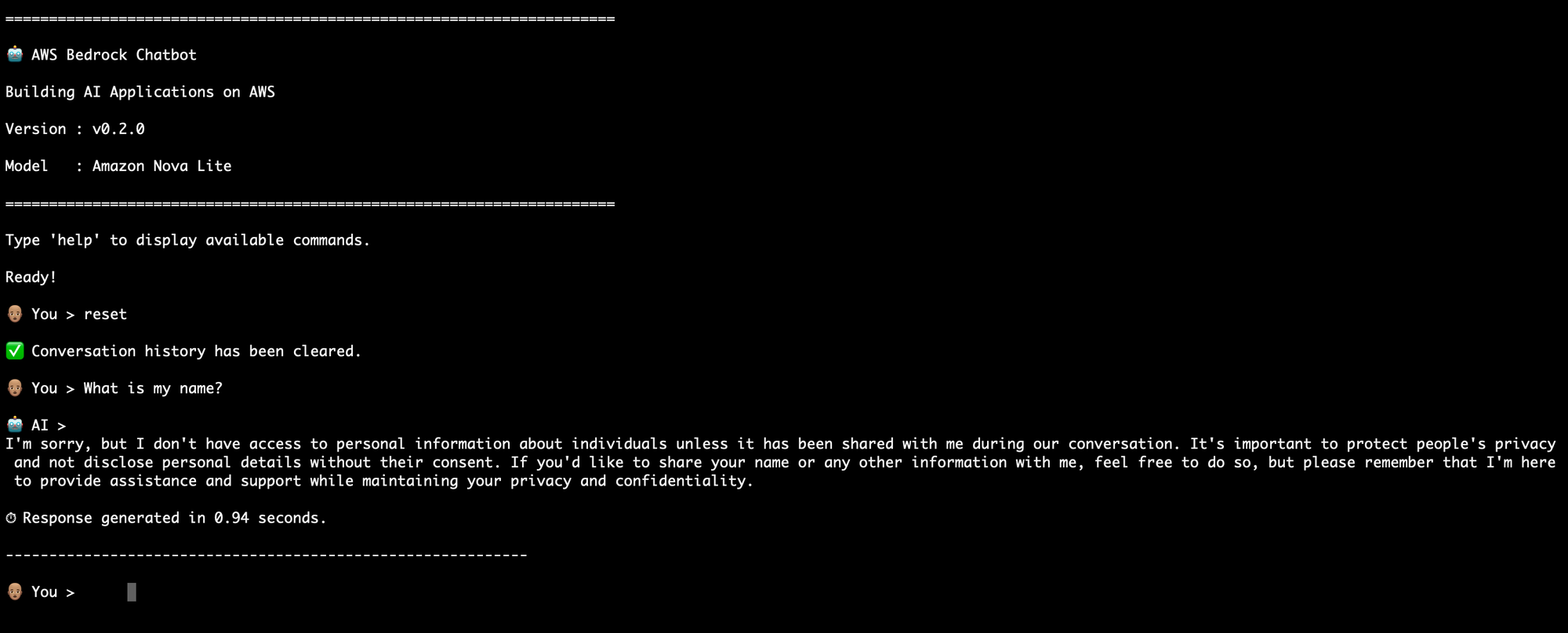
Alongside the conversation memory feature testing, two more commands were added to verify the memory is persisting throughout the interaction with the chatbot:
history | Reinforces that the application is managing the conversation history |
reset | Demonstrates that memory comes from the application and not model |
Lessons Learned
Real AI applications don't keep sending the entire conversation forever.
Why?
- Requests become slower.
- Token usage grows.
- Costs increase.
- Eventually the model reaches its context window limit.
Introducing a sliding context window intelligently keeps only the most relevant recent messages. This is the kind of production optimization that distinguishes a proof of concept from a scalable AI application.
Source Code
The complete source code for this article is available on GitHub
Repository: https://github.com/thabo-lebelo/aws-bedrock-chatbot
To ensure the code matches this article exactly, check out the corresponding Git tag (v0.3.0) when following along.
What's Next?
Our chatbot can now remember conversations during a session. In Part 4, we'll make it feel even more responsive by introducing streaming responses, allowing users to watch the AI generate text in real time instead of waiting for the full response.
See you in Part 4.