Streaming Responses with Amazon Bedrock
Looking at the user-experience with our chatbot, you send a message then nothing happens immediately. Finally, the entire response appears at once which is perfectly fine but it doesn't feel modern. Now compare that with ChatGPT, Claude, or Amazon Q. You see words appear almost immediately.
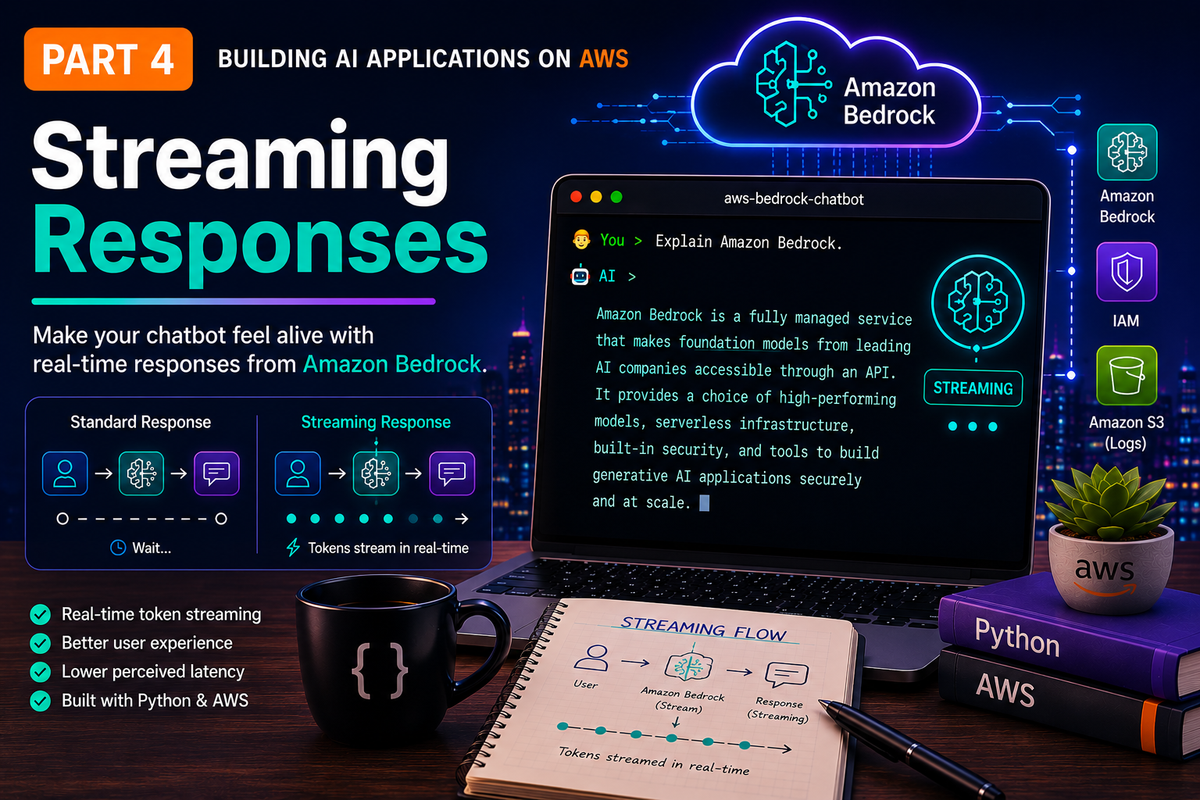
"The fastest application isn't always the one that finishes first. It's the one that responds first."
📘 Series: Building AI Applications on AWS
One of the first things I noticed when using ChatGPT, Amazon Q and Claude wasn't just the quality of the responses—it was how quickly they started responding. The moment you submit a prompt, the application begins displaying text almost immediately.
Although the complete response may still take several seconds to generate, it feels significantly faster because the application provides instant feedback.
In this article, we'll transform our Amazon Bedrock chatbot to deliver that same experience by introducing real-time streaming responses using the Amazon Bedrock Converse Stream API.
Along the way we'll also explore one of Python's most elegant features—generators—and refactor our application into a cleaner, more maintainable architecture.
Where We Left Off
By the end of Part 3, our chatbot had evolved considerably with the below capabilities :
- Connect to Amazon Bedrock.
- Hold multi-turn conversations.
- Remember previous interactions.
- Manage conversation history.
- Limit the context window.
- Log application activity.
- Execute automated unit tests.
From a functionality perspective, it was becoming a capable AI assistant. There was just one problem, every response appeared all at once. For short responses that wasn't particularly noticeable. For longer explanations, however, users were left staring at an empty terminal waiting for something to happen.
Why Streaming Matters
Consider this interaction without streaming:
You > Explain Amazon Bedrock.

(wait...)

(wait...)

(wait...)

🤖 AI >

Amazon Bedrock is a fully managed service...
Now compare that to a streaming experience:
You > Explain Amazon Bedrock.

🤖 AI >

Amazon...

Amazon Bedrock...

Amazon Bedrock is a fully managed service...
Both responses may take exactly the same amount of time to complete but the difference is perception. Streaming dramatically improves the user experience because users immediately know their request is being processed. That's exactly why modern AI assistants feel so responsive.
Understanding the Converse Stream API
Until now our chatbot relied on the standard Converse API. The request looked something like this:
User Prompt

↓

Amazon Bedrock

↓

Complete Response
With the Converse Stream API, the flow changes. Instead of waiting for the complete response, Amazon Bedrock sends multiple events as text becomes available:
User Prompt

↓

Amazon Bedrock

↓

Chunk

↓

Chunk

↓

Chunk

↓

Complete Response
Each chunk contains a small portion of the generated response and our application simply displays each chunk as soon as it arrives.
Building the Streaming Engine
Rather than replacing our existing implementation, I decided to introduce a new method called converse_stream()
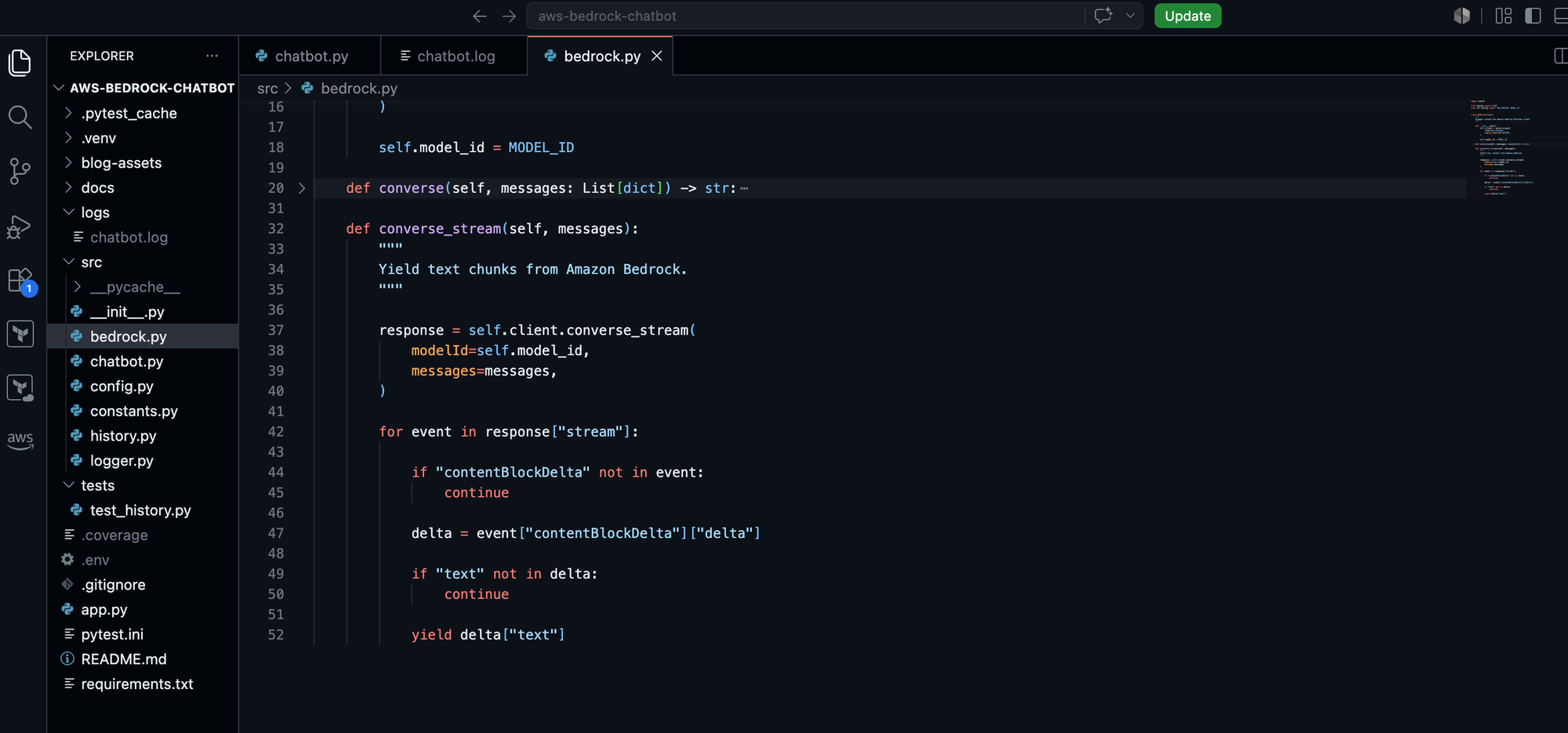
Keeping both methods allows us to compare the traditional request-response approach with streaming while preserving backwards compatibility.
The biggest architectural improvement, however, wasn't adding a new method. It was deciding where the streaming logic should live.
Separating Responsibilities
Many examples online parse Amazon Bedrock events directly inside the chatbot. That approach works, but it tightly couples the chatbot to the Bedrock API. I wanted the chatbot to remain completely unaware of Bedrock's event structure.
The BedrockClient now acts as a translator. It receives Bedrock streaming events and exposes a much simpler interface to the rest of the application. Instead of returning raw events, it yields plain text.
This small design decision makes the chatbot significantly easier to understand and opens the door to supporting additional model providers in the future without changing the user interface.
Discovering Python Generators
One of my favourite parts of this refactor was introducing Python generators. Before this project, I had used generators occasionally but never truly appreciated how naturally they fit streaming APIs.
Unlike a traditional function that returns everything at once, a yield generator produces one piece of data at a time.
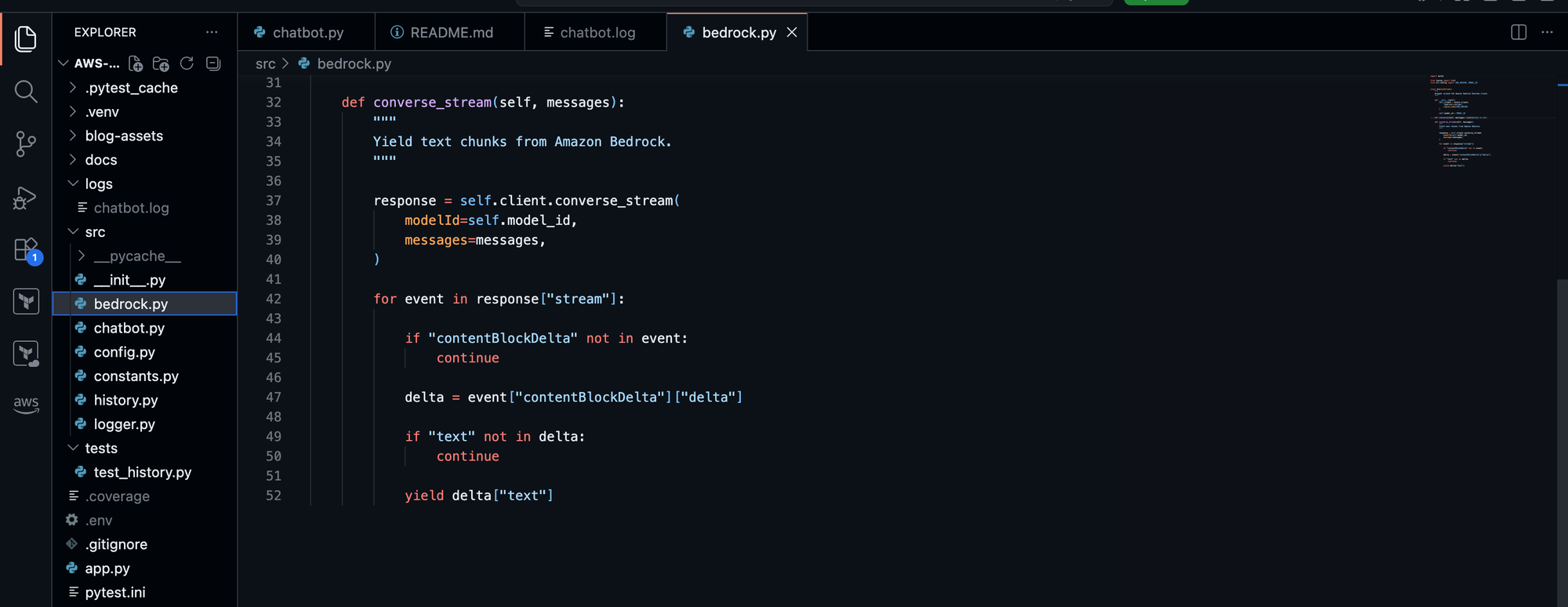
Imagine reading a book, a normal function waits until the author finishes writing every page before handing you the complete book. A generator gives you each page the moment it's finished. That's exactly how streaming works.
Every time Amazon Bedrock generates another piece of text, our generator immediately passes it back to the chatbot. The chatbot simply prints what it receives. Simple, elegant, and easy to maintain.
The New Flow
Our architecture now looks like this:
User

↓

BedrockChatbot

↓

BedrockClient

↓

Python Generator

↓

Amazon Bedrock Converse Stream API
Notice that the chatbot no longer understands Bedrock events. It only understands text and that's exactly the level of abstraction we were aiming for.
Preserving Conversation Memory
Streaming introduced one additional challenge. Although users see the response appear one chunk at a time, the application still needs to remember the complete assistant response for future conversations.
The solution was surprisingly straightforward. As each chunk arrives we immediately:
- Display it in the terminal.
- Append it to a response buffer.
Once streaming finishes, the complete response is stored in our ConversationHistory.
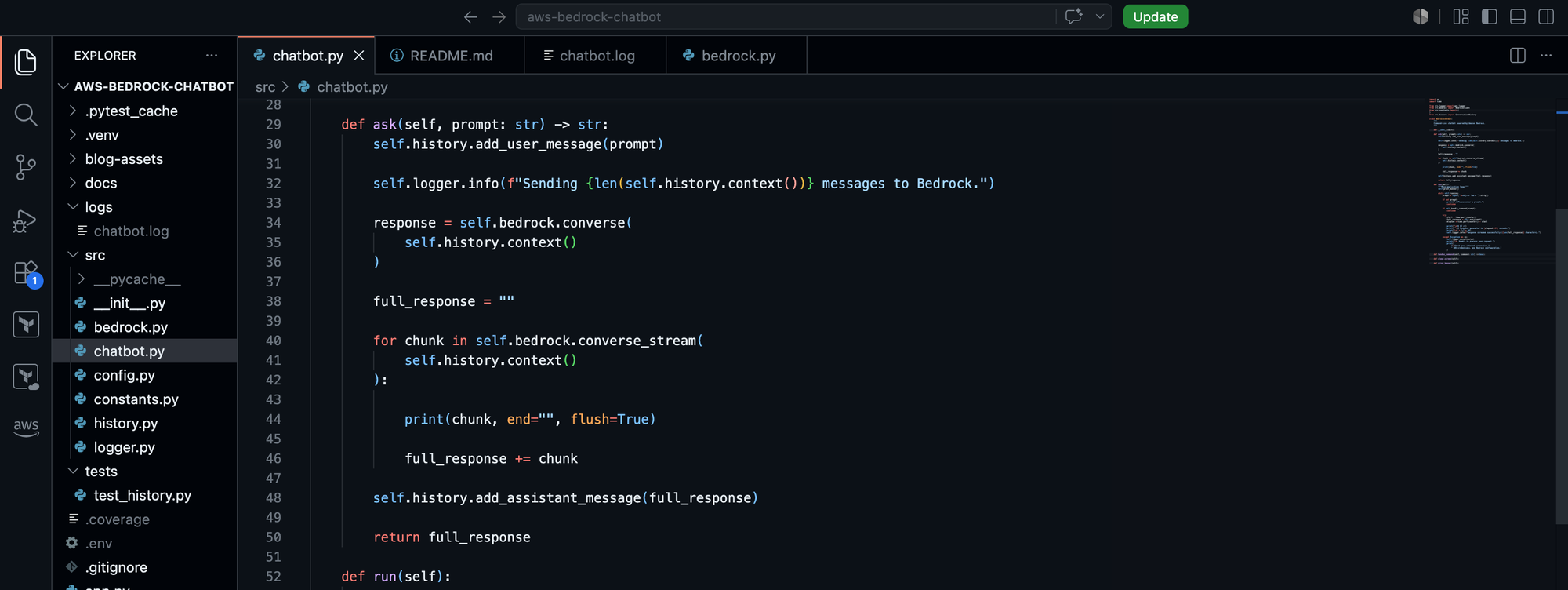
From the user's perspective, nothing changes. The chatbot still remembers previous interactions and the only difference is that the experience feels significantly more responsive.
Performance vs Perception
One of the biggest lessons from this article has nothing to do with Amazon Bedrock. It's about user experience as streaming doesn't necessarily make your application faster. It makes your application feel faster and those are two very different things:
Even when total execution time remains unchanged, immediate feedback dramatically improves the overall experience. It's a reminder that good software engineering isn't just about algorithms and architecture. It's also about understanding how users experience your application.
Lessons Learned
Before implementing streaming, I assumed the biggest challenge would be working with the Amazon Bedrock API.
In reality, the most valuable lesson came from software design.
By introducing a generator inside the BedrockClient, the chatbot no longer needs to understand Bedrock-specific events or payloads.
Instead, it simply consumes text.
That separation of concerns makes the code easier to read, easier to test and much easier to extend in the future.
Sometimes the best improvements aren't new features.
They're better abstractions.
Source Code
The complete source code for this article is available on GitHub.
Repository:
https://github.com/thabo-lebelo/aws-bedrock-chatbot
Release Tag:
v0.4.0
Checking out the v0.4.0 tag ensures your code matches this article exactly.
What's Next?
Our chatbot is now conversational, remembers previous interactions and streams responses in real time.
In Part 5 we'll introduce persistent conversation memory using SQLite.
Instead of forgetting everything when the application exits, our chatbot will be able to resume conversations across sessions.
That will be another important step towards building a production-ready AI application on AWS.